
Document collection software that ends the email chase
Collect is document collection software for teams that onboard clients. Send one branded request, automate reminders, and gather every file in a secure portal, with no more email threads or shared-drive chaos.
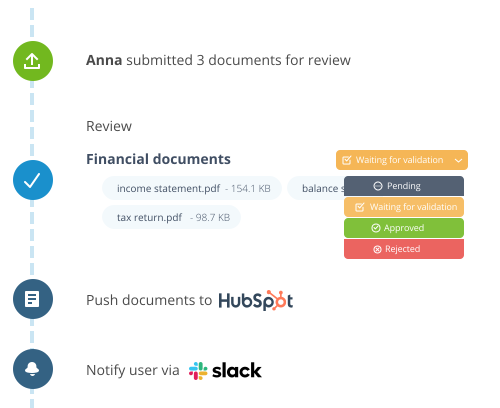



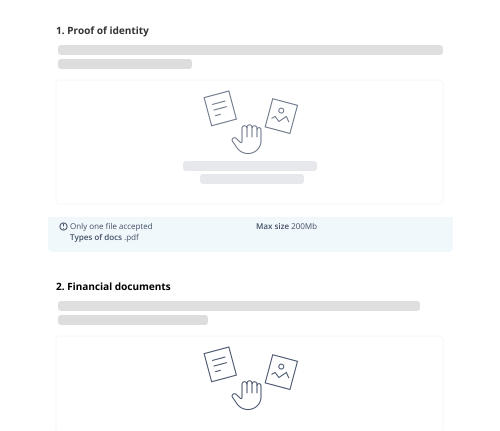
Give clear instructions to your clients
Collect helps you reduce counterproductive back-and-forth with your clients about document collection by listing all the documents requested.
For each file requested, you can provide clear instructions and define your restrictions (ex: type of files uploaded, maximum file size,...).
Embrace today's technology to collect document.
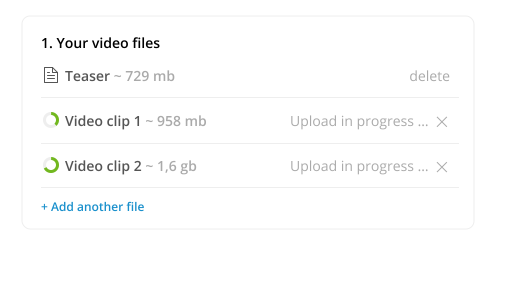
Tired of forms and emails that limit documents upload to few mb? So we are! Our document portal accepts large files (up to 2Gb) and allows your clients to use their camera to take photos of the documents when they are on their smartphone.
Keep your client's documents safe
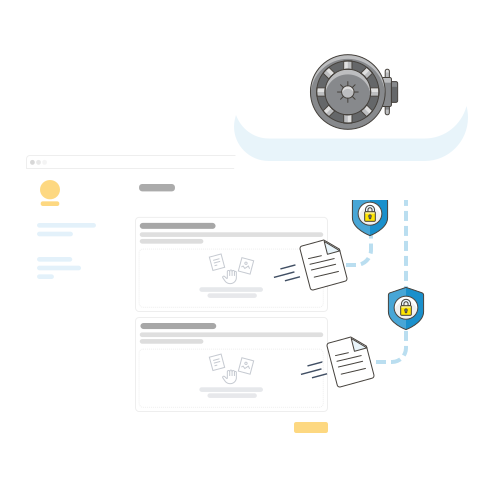
Thanks to Collect, you will stop sending sensitive documents over email.
Your clients can securely connect to their client portal and upload their documents. They are encrypted, stored in a safe place, and access is strictly controlled.
Collect vs. email and shared drives
See why teams replace inbox threads and shared folders with purpose-built document collection software.
Email & shared drives
- Documents scattered across inboxes and threads
- Manual reminders and follow-ups
- No visibility into what is still missing
- Sensitive files exposed in email
- Version confusion and duplicates
Collect
- One secure portal for every requested file
- Automated email and SMS reminders
- Real-time status of every request
- Encrypted uploads with audit logs
- Always the latest version, neatly organized
Learn more about document collection
Practical reading for teams collecting client documents at scale.
Client portals for document collection · Secure client document portal in 5 steps · Client portal software · Automatic reminders
Comparing tools? See how Collect stacks up against Content Snare, FileInvite, and Clustdoc, or browse all alternatives.
Document collection software questions
What is document collection software?
Document collection software lets you request, receive, and track client files in one place instead of chasing them over email. Collect sends a single branded request, reminds clients automatically, and stores every document securely.
How do I collect documents from clients?
Create a request listing the documents you need, share a secure link, and clients upload their files, including large files up to 2GB or photos from their phone, to a branded portal. Collect validates uploads and sends reminders until everything is in.
Is Collect more secure than collecting documents by email?
Yes. Clients upload to an encrypted secure client portal with controlled access and audit logs, so sensitive documents never sit in inboxes or shared drives.
Can I automate reminders and follow-ups?
Yes. Collect sends automated email and SMS reminders so you stop manually following up, and shows the real-time status of every request.
Does it work for client onboarding and recurring requests?
Yes. Teams use Collect for client onboarding, KYC, and HR, plus recurring document requests, with conditional logic that shows clients only the items relevant to them.
Start automating your onboarding today
Try Collect free for 7 days, with full access to our AI and integrations.